Does Discord use seconds or milliseconds for timestamps?
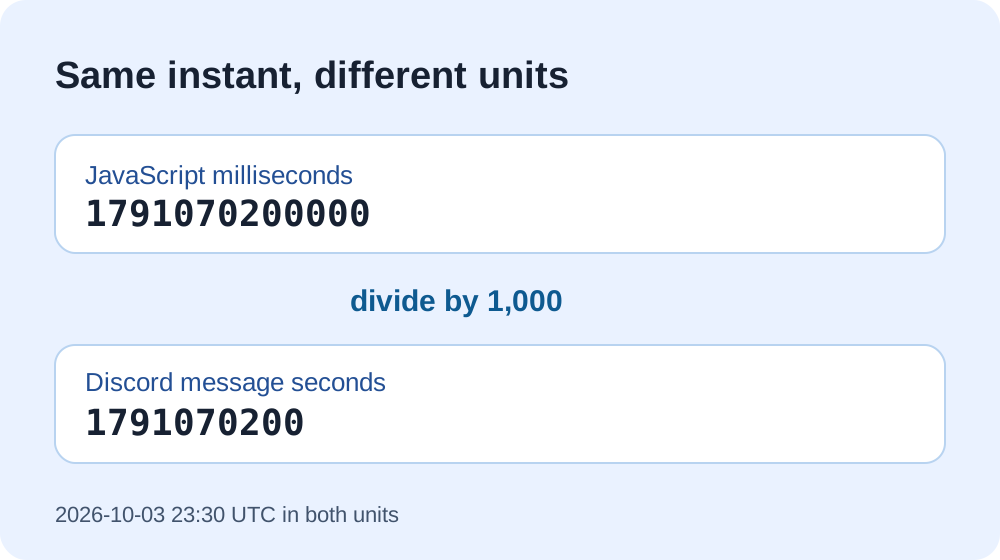
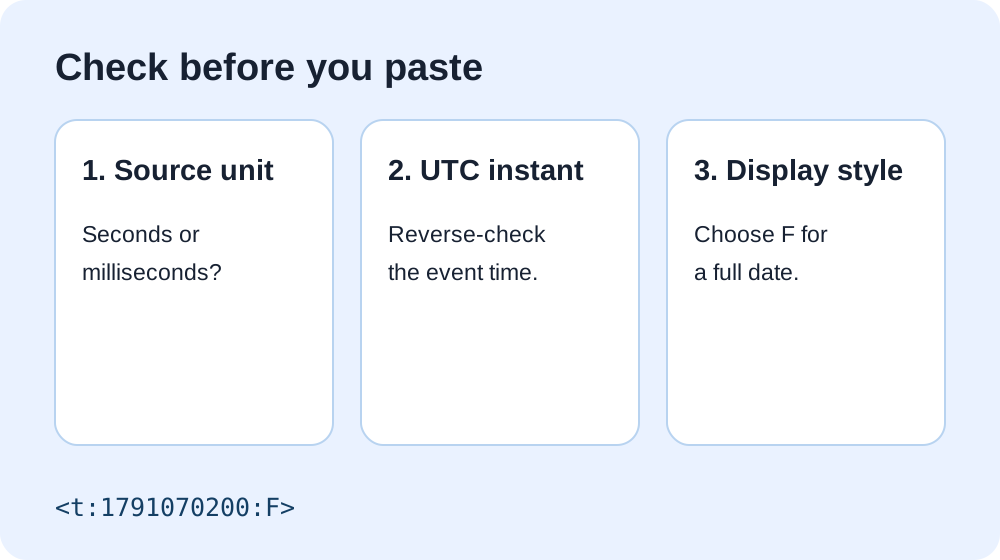
Answer: Discord's message timestamp code uses Unix seconds. Put the seconds value in <t:TIMESTAMP:STYLE>. If your code produces milliseconds, divide by 1,000 first. For example, 1791070200000 milliseconds is 1791070200 seconds, so the full-date code is <t:1791070200:F>. The style letter changes the display, not the unit.
In an August 2026 user discussion, a participant explained the numeric part of the code to someone trying to make a local-time display. This page turns that common unit question into a reproducible conversion rather than relying on a copied sample. Discord's official message-formatting reference explicitly defines the timestamp unit as seconds.
Convert a value you already have
Choose the unit from the source that produced the number. Digit count alone cannot prove it.
This converter labels the unit explicitly. It does not guess from the number of digits, and it does not send your input to a server.
Worked example with both units
Take 2026-10-03T23:30:00Z. In JavaScript, Date.parse('2026-10-03T23:30:00Z') returns 1791070200000 milliseconds. Dividing by 1000 gives 1791070200 seconds. Both numbers describe the same instant when interpreted in their respective units; only the seconds value belongs inside the Discord message code. We independently checked the pair with a UTC date conversion.
If you put the millisecond number directly between <t: and :F>, you have labeled milliseconds as seconds. That does not represent the intended 2026 event. The exact appearance of an out-of-range value can vary by client, so fix the unit instead of relying on a particular error message.
Why does JavaScript give a different-sized number?
JavaScript Date.now() and Date.parse() return milliseconds since the Unix epoch. A Discord message timestamp expects seconds since that epoch. Use Math.floor(Date.now() / 1000) for the current instant, or Math.floor(Date.parse(isoString) / 1000) for an explicitly zoned ISO date. The floor operation yields an integer second. For a planned event, include an explicit offset such as +08:00 or Z in the source date so a machine's local timezone does not silently change the instant.
But Discord documentation mentions milliseconds elsewhere
Discord IDs, called snowflakes, carry an internal timestamp component measured in milliseconds since a Discord-specific epoch. That is a different data structure from message timestamp markup. The same Discord API reference documents those ID fields and separately states that message timestamps use seconds. Do not paste a snowflake ID or its millisecond component into <t:...> as though it were a Unix-seconds value.
What if the number is right but the display still looks wrong?
Check the intended timezone and date. Our eight-hour offset example isolates a source-timezone error; our cross-date example shows why different readers can see different calendar dates for one correct instant. For a new code on your phone, the mobile generator handles the seconds conversion from a local date-time selection.
Sources and method
The message syntax and seconds unit come from Discord's official format documentation; the distinct snowflake unit comes from the same reference's ID section. The linked Reddit discussion supplied a real reader question, not article text. The numeric pair, converter, diagrams, and reverse-check steps were made and tested for this page. No live Discord client rendering claim is made here.