Why is my Discord timestamp eight hours off?
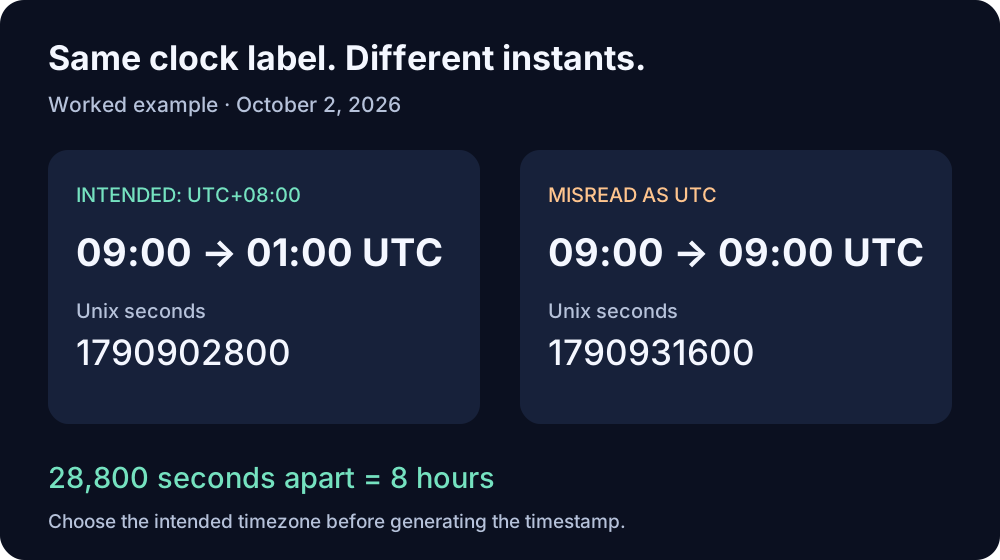
Check the timezone attached to your input. October 2, 2026 at 9:00 AM in UTC+08:00 is 1790902800, so the message code is <t:1790902800:F>. If you interpret the same 9:00 AM as UTC, you create 1790931600—an event eight hours later. A Discord timestamp generator needs the intended instant, not just the digits on a clock.
A worked example you can reproduce
Imagine your event announcement says “October 2 at 9:00 AM, UTC+08:00.” We calculated both interpretations explicitly, rather than letting the computer choose a timezone.
| Input | UTC instant | Unix seconds | Message code |
|---|---|---|---|
2026-10-02T09:00:00+08:00 | 2026-10-02T01:00:00Z | 1790902800 | <t:1790902800:F> |
2026-10-02T09:00:00Z | 2026-10-02T09:00:00Z | 1790931600 | <t:1790931600:F> |
The second number is 28,800 seconds larger. Dividing by 3,600 gives exactly eight hours. Changing the display style does not repair this input error: it changes how a fixed instant is presented.
Verify the number before sharing it
In a JavaScript console, use an explicit offset:
const intended = Date.parse('2026-10-02T09:00:00+08:00');
const misread = Date.parse('2026-10-02T09:00:00Z');
console.log(intended / 1000); // 1790902800
console.log(misread / 1000);  // 1790931600
console.log((misread - intended) / 3600000); // 8
console.log(new Date(intended).toISOString());
// 2026-10-02T01:00:00.000Z
This check uses the event's timezone explicitly. An offset-free input such as 2026-10-02T09:00:00 leaves the interpretation to the environment and is unsuitable for this comparison.
Fix the announcement
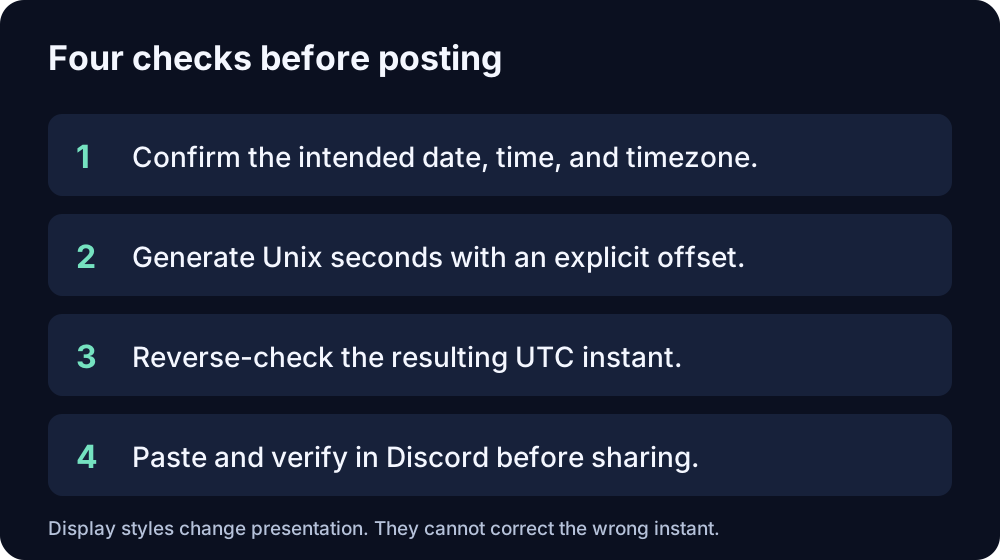
- Identify the organizer's intended date, time, and timezone. If the invitation omitted the timezone, ask before generating a replacement.
- Enter that date and time with the intended timezone. For this example, use UTC+08:00. If a generator only uses your device's local timezone, first check which timezone the device uses.
- Reverse-check the generated value against the expected UTC instant:
01:00 UTCfor this example. - Paste
<t:1790902800:F>into your announcement and verify it in Discord before sharing it widely.
Should everyone see 9:00 AM?
No. Discord renders the same timestamp in the viewer's timezone and locale. Someone whose device uses UTC+08:00 and someone whose device uses UTC can see different clock times for the same event. The test is whether the instant matches, not whether everyone's clock label matches.
Can I add eight hours to every wrong timestamp?
Do not apply a blanket adjustment. The correction depends on which timezone was intended and which was used. This particular mistake produces an eight-hour difference because the two explicit offsets are UTC+08:00 and UTC. Recalculate from the original event details instead.
Source and calculation note
Discord's official message formatting reference specifies Unix seconds and viewer-local display. The example dates, paired calculations, difference check, and repair workflow here were independently constructed. The numeric conversions were verified with Windows DateTimeOffset; the JavaScript snippet is an equivalent reproducible check. No Discord client screenshot or live rendering test is claimed.