Discord Timezone for a Recurring Event
Answer: For a weekly Discord event at a fixed local hour, make a separate timestamp for each date in the organizer's named timezone. Each <t:seconds:F> code represents one UTC instant and converts to each reader's timezone, but it does not repeat every week. A daylight-saving change can move the UTC hour even when the organizer still says “9:00 AM.”
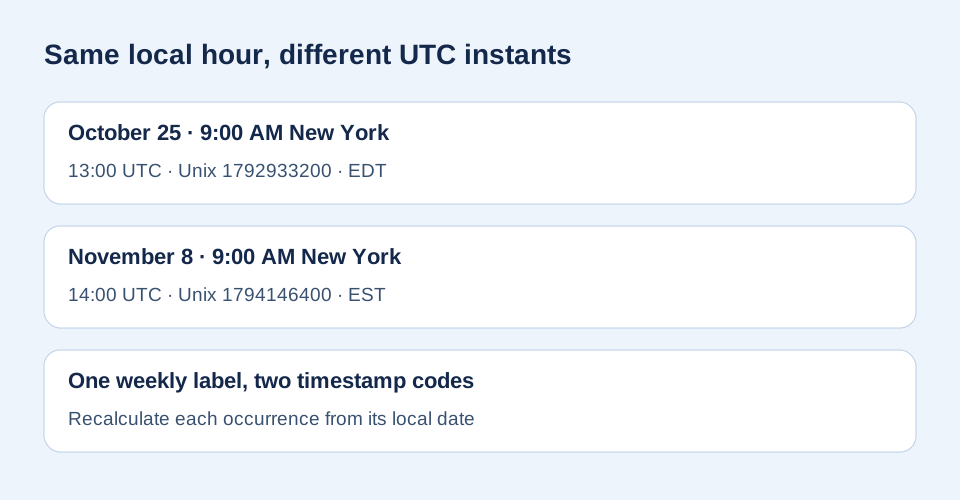
Check the same 9:00 AM New York meeting on two dates:
October 25, 2026: <t:1792933200:F> · 13:00 UTC · EDT
November 8, 2026: <t:1794146400:F> · 14:00 UTC · EST
These are independently calculated sample dates, not a live recurring scheduler. Browser timezone data may change when governments update rules.
How do people do this in a cross-timezone server?
A user-supplied community question asks “how do people do this?”; another user-supplied discussion is titled “Auto converting time zones in discord”. For a one-off meeting, select its local date, time, and named source timezone in the generator, then paste the resulting code in the message. For a series that keeps the same organizer-local hour, repeat that conversion for every date instead of reusing the first code.
What changes at daylight saving time?
Our check uses 9:00 AM in America/New_York on two Sundays. The first is 2026-10-25T13:00:00Z or 1792933200 Unix seconds; the second is 2026-11-08T14:00:00Z or 1794146400. Node's Intl.DateTimeFormat formatted the first instant as 9:00 AM EDT and the second as 9:00 AM EST. The UTC gap is 14 days plus one hour, even though both local wall clocks say 9:00 AM. This is why a fixed “UTC−4” note is insufficient for a later date.
Post each occurrence without a wrong hour
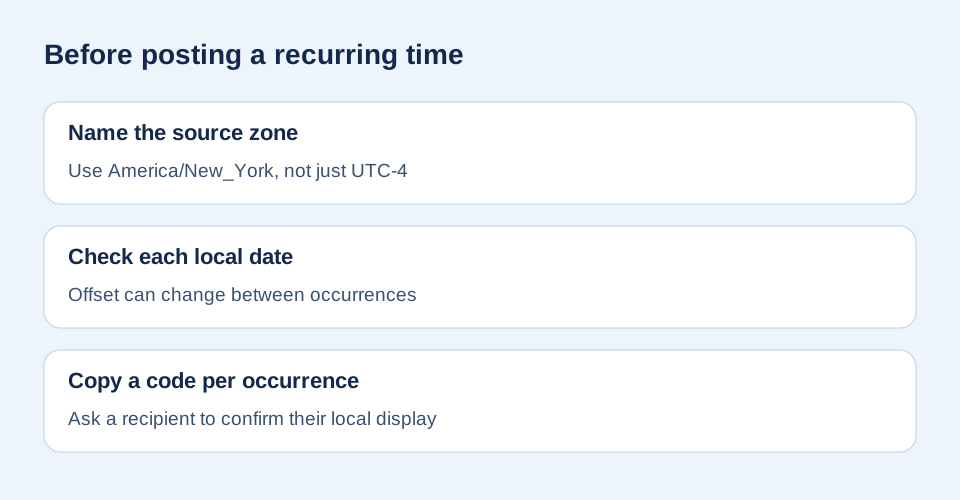
- Write the organizer's exact local date and time for each event.
- Keep a named source timezone, such as
America/New_York, alongside that schedule. - Generate a distinct Unix-seconds code for each date. Use
Fif readers need both date and time. - Check one code in Discord and ask a member in another timezone to confirm the intended local display.
Does a timestamp itself repeat?
No. Discord's message-formatting reference defines a timestamp as Unix seconds that display in the reader's timezone and locale. It documents a single numeric instant, not a recurring calendar rule. If your community needs automatic weekly posts, a scheduling tool or bot must calculate future dates separately; the message markup alone cannot do that. This page does not claim a particular bot's recurrence behavior.
Why not reuse the same UTC offset?
A numeric offset describes a date-specific relationship to UTC. A named timezone carries rules that may change. The two codes above can be reproduced with Date.parse('2026-10-25T13:00:00Z') / 1000 and Date.parse('2026-11-08T14:00:00Z') / 1000; formatting both with Intl.DateTimeFormat in America/New_York verifies the matching local hour. For a different city or future rule change, recalculate the intended date rather than copying these sample values.
Sources and method
The markup syntax and reader-local display come from Discord's official documentation. The community titles above were supplied by a user as question leads; they are not the technical source. We computed both sample Unix values with JavaScript, checked the New York labels with the browser timezone formatter, and made the comparison, checklist, and diagrams for this page. No claim is made that Discord automatically schedules recurrence.