Why does a Discord timestamp show tomorrow for someone else?
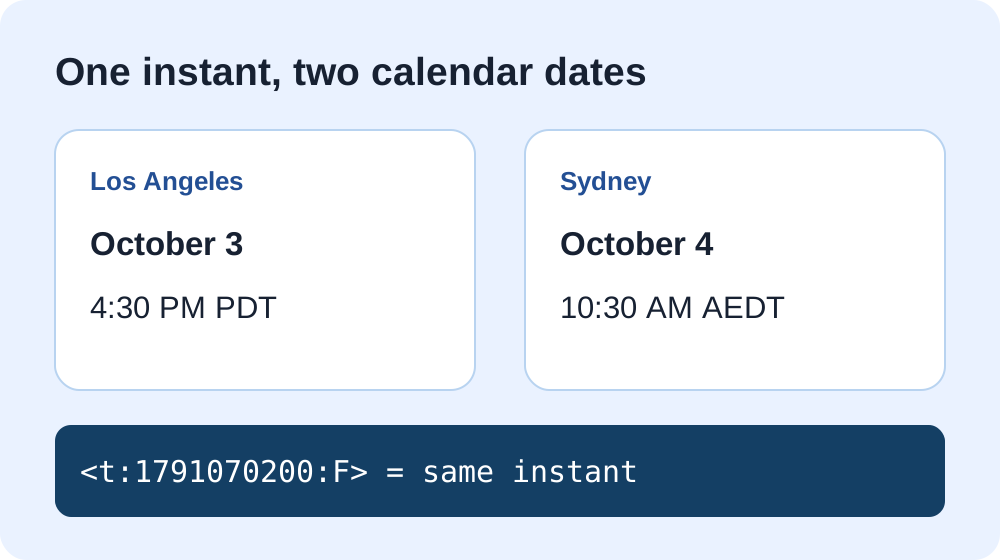
Answer: A Discord timestamp is one exact instant. Discord displays it in each reader's timezone and locale, so the calendar date can change at midnight without the event moving. For example, <t:1791070200:F> represents October 3, 2026 at 23:30 UTC. At that instant, it is still October 3 at 4:30 PM in Los Angeles, but already October 4 at 10:30 AM in Sydney. The day difference is expected.
A person in an August 2026 Discord discussion asked how another person's timezone is determined and described being in Australia on a different day. The key is that a sender shares the instant, not the other person's timezone. Each viewer's client formats that instant locally. We used that question as the starting point and calculated the example below independently.
Check one instant across timezones
This field is explicitly UTC. Enter the event's UTC time, not your device's local clock.
The comparison uses your browser's current timezone data for Los Angeles and Sydney. Future timezone rules can change; for a real event, confirm the organizer's source timezone and date before sending.
How the example was checked
The UTC time 2026-10-03T23:30:00Z equals Unix seconds 1791070200. We converted that instant using the system timezone rules for Los Angeles and Sydney. Los Angeles was on daylight time, UTC−07:00, so its clock read October 3 at 16:30. Sydney was on daylight time, UTC+11:00, so its clock read October 4 at 10:30. Both are the same instant; only the displayed wall time and date differ. To recalculate the Unix value in JavaScript, run Date.parse('2026-10-03T23:30:00Z') / 1000.
Which format helps readers notice the correct day?
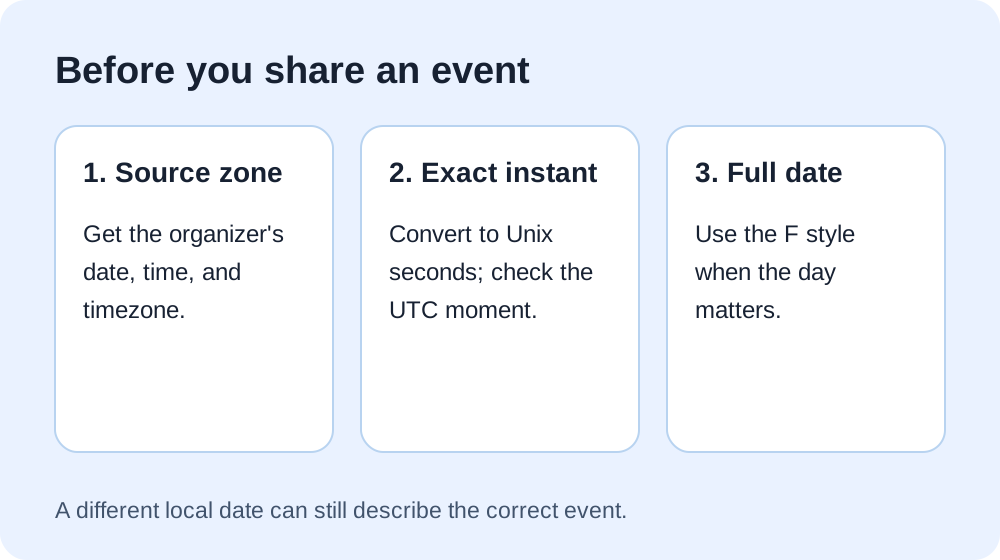
Choose F when the day matters: it includes a full date and time in the viewer's locale. A time-only t code still represents the same dated instant, but hides the date in its visible label. For events near midnight or across continents, add the event date in your message and verify the source timezone. The relative R style gives an interval rather than a fixed day label. Changing style does not correct a wrongly chosen instant.
Does Discord know my friend's timezone?
You do not need to look up every recipient's timezone to make the code. The Discord formatting reference says timestamps use Unix seconds and display in the user's timezone and locale. That explains why two readers can see different dates for one message. It does not tell you a particular friend's device setting, so a screenshot from them is needed to diagnose an unexpected personal display.
Make or troubleshoot your code
For a new event, use our mobile-friendly generator to choose a local date and copy a style. If everyone is exactly eight hours off, follow our source-timezone check. These are separate problems: a cross-date local display can be correct even when the event time is correct.
Sources and method
Timestamp syntax, seconds, and viewer-local display come from Discord's official documentation. The reader question comes from the linked Reddit discussion, without reproducing its wording. The numeric example was independently calculated with system timezone rules and rechecked by the tool above. The comparison tool, checklist, and diagrams were made for this page; this is not a live test of every Discord client.