Can you put a Discord timestamp in your bio?
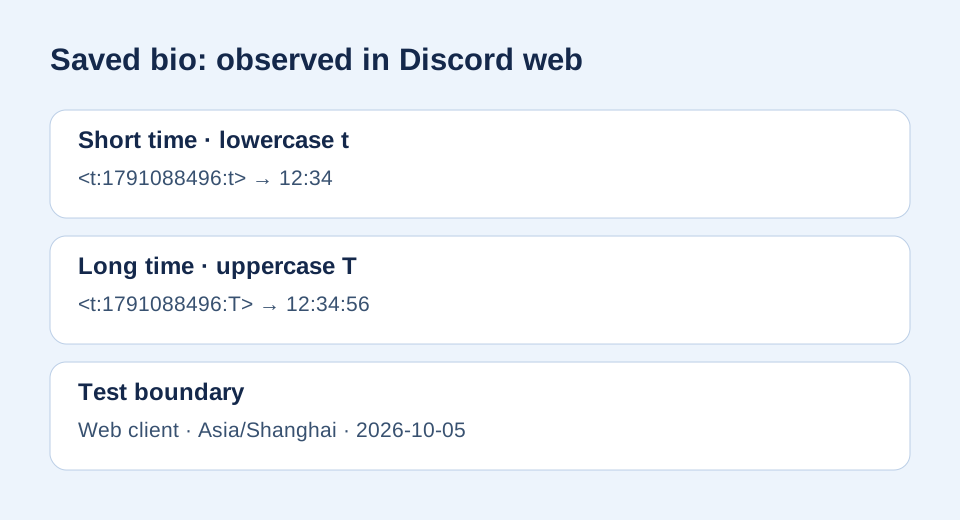
Answer: Yes in the Discord web client we tested on October 5, 2026. We saved <t:1791088496:t> in a profile bio and saw 12:34. We then saved <t:1791088496:T> and saw 12:34:56. Both used the same instant, viewed with a browser in Asia/Shanghai. Other clients and profile surfaces were not tested, so check the saved result in your own profile.
<t:1791088496:t>Observed: 12:34
<t:1791088496:T>Observed: 12:34:56
These are test values. Make a timestamp for your own event before saving your bio.
A participant in a Discord community discussion asked whether a timestamp could be placed in a bio. That question prompted this hands-on check; the discussion alone was not treated as proof. Discord's format reference defines the timestamp syntax and its display-style letters.
How do you add one to your bio?
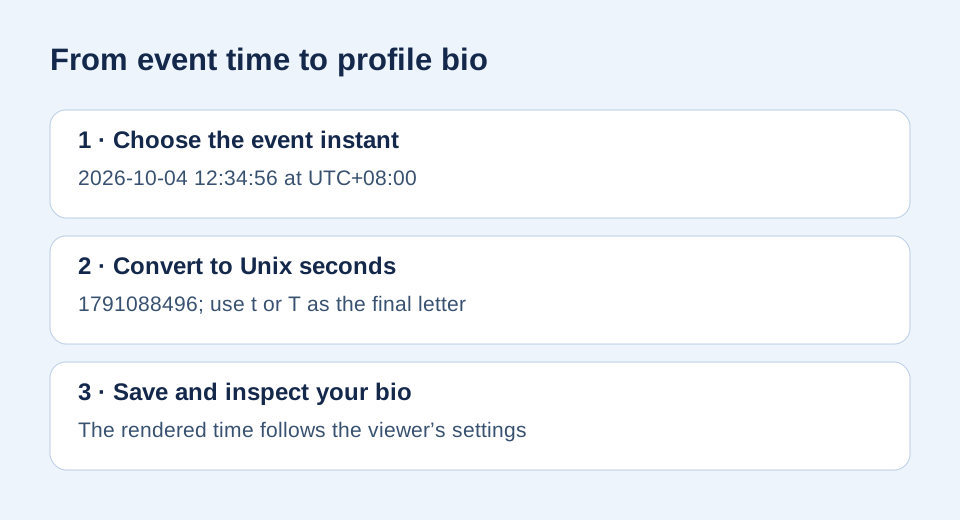
First, use a Discord timestamp maker to select your event's date, time, and source timezone, then copy the raw <t:...:t> or <t:...:T> markup. In Discord web, open your profile editor, paste the raw markup into your bio, and save. Reopen the profile to inspect the rendered text. Paste without backticks: a code-formatted example is meant for reading, while the raw markup is what Discord parses.
The number in our example is independently reproducible: 2026-10-04T12:34:56+08:00 equals 2026-10-04T04:34:56Z, and Math.floor(Date.parse('2026-10-04T12:34:56+08:00') / 1000) returns 1791088496. Change only the final letter to compare display styles; do not change the number. For an event of your own, use its Unix-second value, not this sample instant.
Will everyone see 12:34?
No. The Unix number identifies one instant. Each viewer may see a clock time according to their client, locale, and timezone. Our 12:34 and 12:34:56 observations are results from the tested web session, not a promise for every viewer. The final t selects a short time; uppercase T includes seconds. Neither letter forces a shared timezone.
What if your bio shows the raw code?
Make sure the markup begins with <t:, contains a Unix seconds value, and ends with :t> or :T>. Remove backticks, save the profile, and inspect the displayed bio rather than only the editor text. If it still stays literal in your client, that client or profile surface may behave differently from our web test. You can still put the same raw timestamp in a normal Discord message; see the seconds-versus-milliseconds check if the displayed date looks wrong.
Sources and test method
The real bio question came from the linked community thread; no commenter wording was reused. Discord's official formatting reference supplies the <t:UNIX_SECONDS:STYLE> syntax. On October 5, 2026, we used a logged-in Discord web client with an initially empty bio. We saved the short code, inspected its rendered profile result, repeated with the long code, then saved both side by side and confirmed the two results. We restored the original empty bio afterward. The browser timezone was Asia/Shanghai. Our diagrams illustrate recorded observations; they are not screenshots of Discord. This test does not establish behavior for the mobile app, desktop app, other accounts, or all future versions.