Can a Discord timestamp force a 24-hour time format?
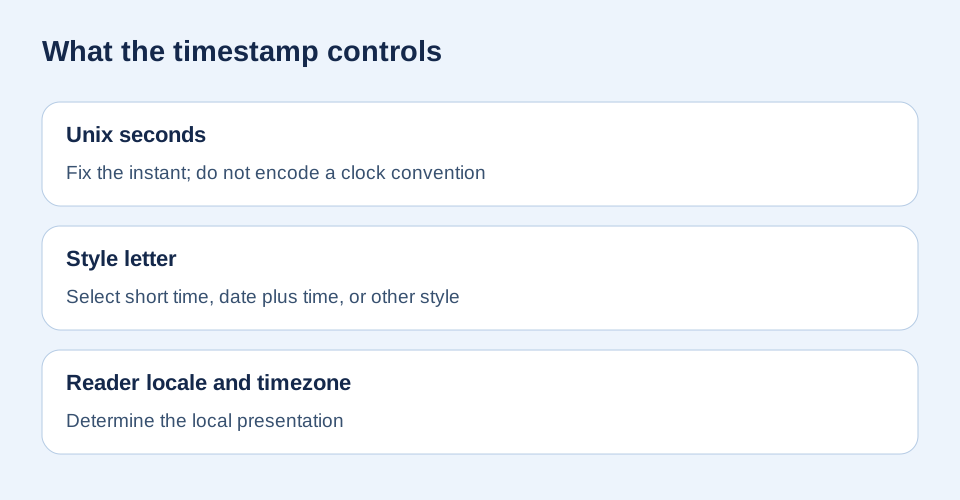
Answer: No 24-hour switch exists in Discord's documented timestamp code. A code such as <t:1791657000:t> fixes the instant and requests a short-time display; the reader's locale and timezone determine the local presentation. If everyone must also see an explicit 24-hour clock, write that time and its timezone as ordinary text beside the timestamp. Do not replace the timestamp with a bare hour, because readers in other zones need the local conversion.
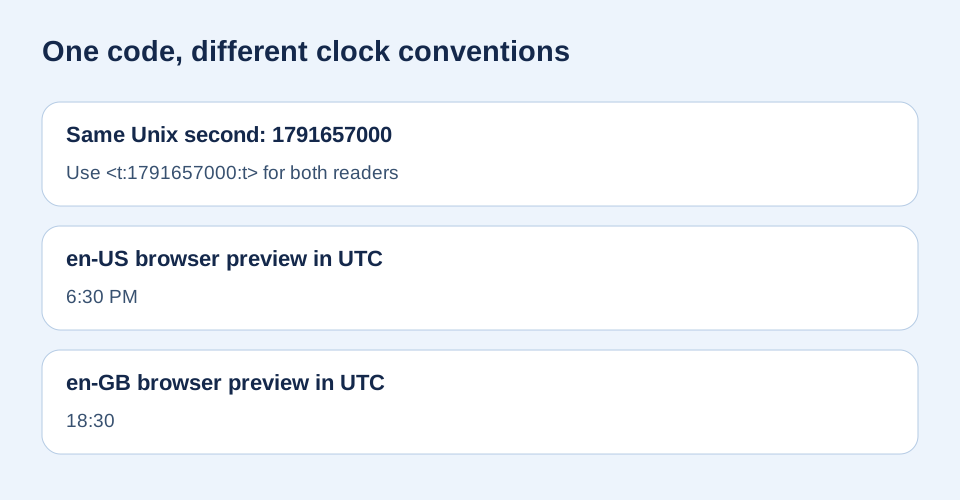
Keep the instant and timezone fixed; change only the browser locale. Both cards below use Unix second 1791657000 in UTC. Press the button to recompute the previews on this device.
Browser simulation, not a Discord-client capture.
What can the final style letter change?
Discord's message-formatting reference defines <t:TIMESTAMP:STYLE>. Its style table distinguishes short time t, time with seconds T, date variants, and relative time R. The table does not define a style letter for “force 24-hour clock.” The conclusion about no switch follows from that documented syntax; it is not a claim that every Discord client and locale was tested.
Can I put 18:30 next to the local timestamp?
Yes, when a schedule needs a fixed reference clock. For this reproducible sample, write 18:30 UTC · <t:1791657000:t>. The text explicitly names UTC and its 24-hour notation; the timestamp still lets each member see the same instant in their own locale and zone. If the organizer meant a different zone, calculate its Unix second first and name that source zone accurately. A bare “18:30” without a zone can mislead an international server.
Why do people ask for more formats?
A user-supplied community comment says, “I personally like this one because it gives you lots of different formats.” That is a lead about choosing appearances, not evidence that a site can override a reader's clock convention. Our generator previews the documented style letters. This page answers the narrower 12-hour versus 24-hour control question; for seconds, see the separate t/T guide.
How was this comparison made?
We convert 2026-10-10T18:30:00Z to Unix seconds with Date.parse('2026-10-10T18:30:00Z') / 1000, yielding 1791657000. The local test formats that one Date twice with Intl.DateTimeFormat, timeZone:'UTC', and locale en-US versus en-GB. It changes no Unix value, timezone, or Discord style letter. The exact browser output is shown after you run the comparison; Discord's official reference, not this simulation, is the source for Discord behavior.
Sources and limits
Discord's official reference supplies the timestamp syntax, available styles, and reader-local display rule. The quoted format preference was supplied by the site owner as a discussion lead and was not independently verified against Reddit. The two locale cards and diagrams are our own reproducible comparison. A browser's Intl result is an illustration, not a promise of identical punctuation in every Discord client.